Screenshots
See it in action
Guided dialogs walk you through every step — nothing is applied until you review and confirm the mappings.
Sheet Transfer copies sheets from any open Revit project into your active model — titleblocks, all parameters, and intelligent level renaming handled automatically.
Sheet Transfer goes beyond a basic copy — it resolves titleblocks, transfers every parameter, and intelligently renames sheets for the target project.
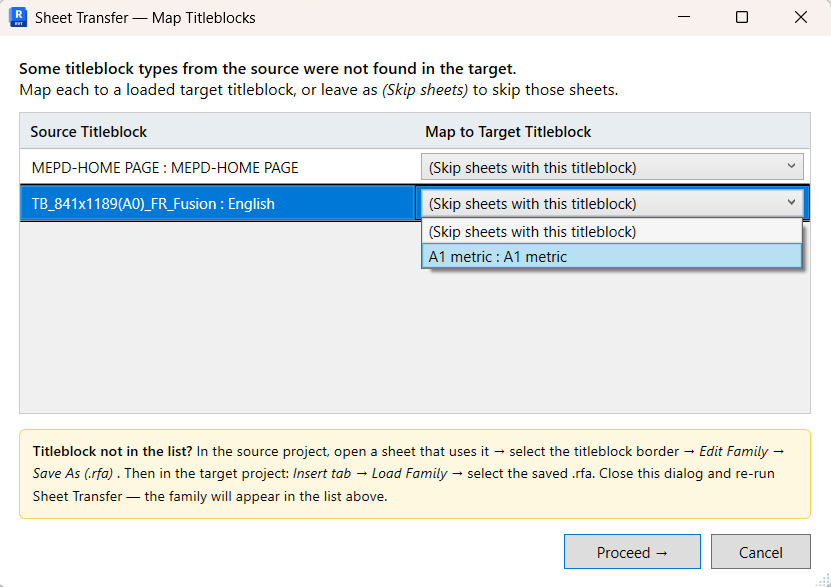
When a source titleblock isn't loaded in the target, an interactive dialog lets you map it to any loaded family — or skip those sheets and load the .rfa manually.
Every writable sheet parameter and titleblock instance parameter is transferred — including shared parameters matched by GUID, not just by name.
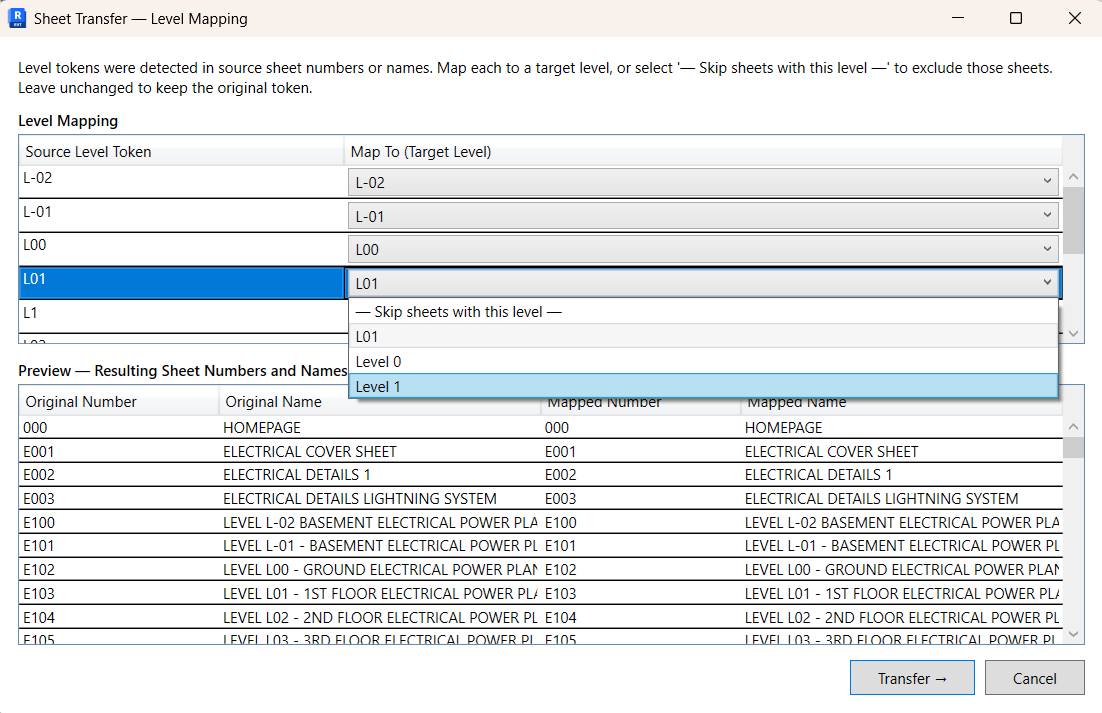
Sheet numbers and names containing level names (e.g. "L01", "GF") are detected automatically. A preview dialog lets you remap them to the target project's levels before transfer.
Sheet numbers that already exist in the target are detected before transfer begins. Conflicts are listed clearly in the summary — no overwrites, no surprises.
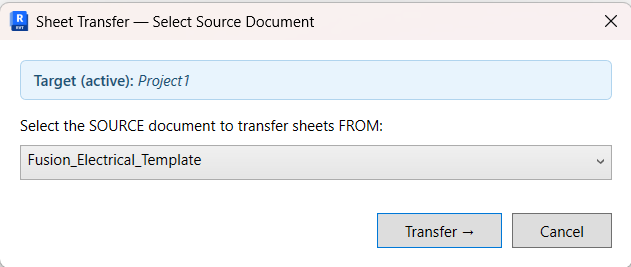
Open any number of Revit projects simultaneously. Sheet Transfer lists them all as source candidates and lets you choose — with the active document clearly shown as the target.
A results dialog reports every sheet created, every sheet skipped (with reason), and any parameters that couldn't be transferred — so you always know exactly what happened.
A fast, guided process — from selecting the source to reviewing the results.
Open the source project and the target project in Revit. Run Transfer Sheets from the target project's ribbon.
A dialog lists all other open projects. Select the one to copy sheets from. The active document is always the target — it can't be selected as source.
If missing titleblocks or level tokens are detected, guided dialogs walk you through mapping them before the transfer begins.
Sheets are created with all parameters. A summary dialog lists every result — created, skipped, and any parameter notes.
Guided dialogs walk you through every step — nothing is applied until you review and confirm the mappings.
Start with a full-featured 30-day trial — no credit card, no email required. Upgrade to a permanent license whenever you like.
30 days · No credit card needed
One user · Revit 2025 & 2026